Yet again another rammed Microsoft Ignite show. There are so many innovations on the horizon in relation to Microsoft 365 that will revolutionise how we interact in the workplace and in the social space. We have taken the time to look through everything Ignite had to offer to bring you the Changing Social highlights, to tell you what we are excited to see soon.
In true Changing Social fashion, we are going to break these down into the following key areas for any business:
- Collaboration and Communication
- Automation
- Wellbeing
Collaboration and Communication is key at the moment, with preparations underway to get some workers back in the office and for some to continue to work remotely, you need to ensure that your workforce and be productive through effective collaboration and communication. Workers should feel confident in being able to communicate with their colleagues and work on the same documents and projects with ease.
- Keep it private – It was announced that the Teams platform will soon support end-to-end encryption on teams calls. This will help to support users in having that peace of mind that their conversation through teams remain private and confidential. This can have an impact on the personal and commercial world. Keeping your conversations and communication private is a must in any organisation, other platforms sell their products on the secure nature of their technology and that users can trust it.

- Future proof it – Microsoft launched Microsoft Mesh a communication and collaboration platform to utilise mixed reality with colleagues to work on business outcomes. Using HoloLens users can share a mixed reality experience to support working together apart. Transport your colleagues into your workspace, virtually. There are many reasons why we like this product, the first being the convenience of having an instant meeting to discuss very intricate and technical projects with peers in your organisation. The second is the reduction on the on the need for travel, thus causing less impact to the environment. The use of virtual reality, augmented reality and mixed reality is on the rise, Microsoft Mesh could be a potential game changer for the workspace.

- More ways to meet – The teams experience is now going to add a third meeting option. Currently through Teams you can create a Meeting or a live event, both has a specific use for smaller or larger audiences. Now Microsoft will introduce the webinar option as its third meeting type. Webinars will support up to 1000 attendees and have an auto scale model so if you go over 1000 people it will increase the limit to 10000. Webinars will support bespoke interaction with the audience and attendee reporting post webinar.

As we look to return to work and engage in the new normal, automation will play a role in maximising outputs in the workplace. Microsoft have continued their development of the Power platform and looked to put the power of automation in everyone’s hands with no code/ low code solutions.
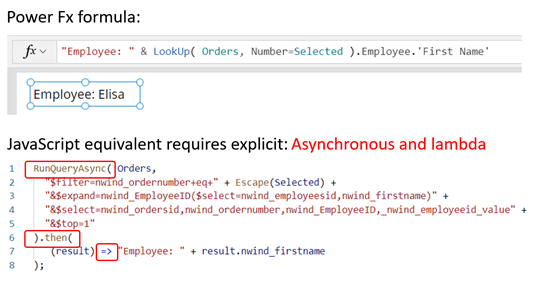
- Let’s code – The Power platform took a big step forward with trying to empower all users to make solutions with the use of Power Fx. This is Microsoft’s first low code programming language to entice the masses to start building their custom solutions and utilising data within their organisation. Having the ability for anyone to pick up a programming language and start producing tangible results will play a massive role in the productivity to your organisation, coupled with the personal development and empowerment that employees will feel by making a difference.
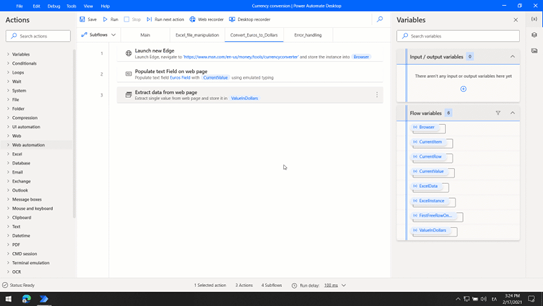
- We don’t need to power it if it’s free – Microsoft announced that Power Automate desktop will be free to Windows 10 users at no additional cost, this is grant users access to the Power Platform and allow them to begin to automate the routine events. The new normal will allow for non-technical users to begin automating their day to focus on the human element of work and personal interaction. This can be the new Excel Macro of our era, being able to translate events in your workspace to code elements to help with repeated process will have a major impact on productivity within your organisation and a direct impact on your employees.
With the recent developments in vaccines the workplace is once again going to shift, some companies are looking to permanently allow staff to work from home, some companies will see a return the physical office space and some will adopt a hybrid approach to working; needless to say, work as we know it has changed and to support the wellbeing of your staff Microsoft has created Microsoft Viva.
The Viva suite breaks down into 4 different areas: Topics, Connections, Learning and Insights. All are aimed at supporting your employees in the workplace to manage their digital usage, social interactions, and personal development.
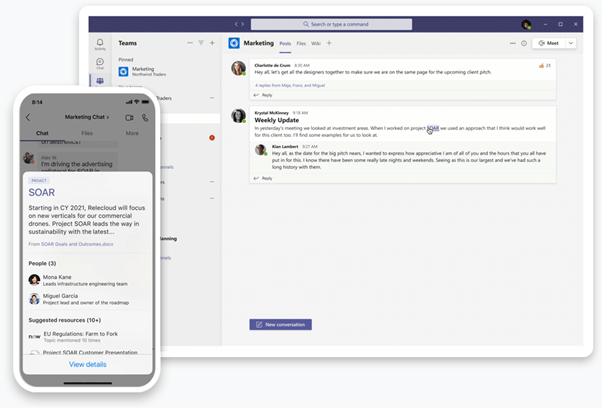
- In the know – Viva Topics will analyse the daily usage of apps within the Microsoft 365 product suite and look to provide as much product content from across your organisation to reduce the amount of time your employees spend looking for information and content. This personal assistant tool will help to focus the attention of the user and help maximise their productivity and mood.
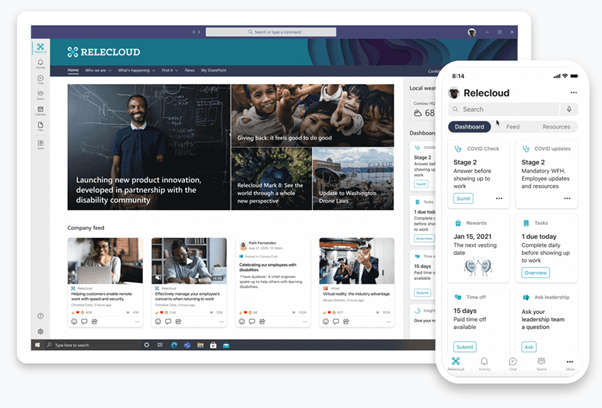
- Stay connected – Viva Connections will look to keep your employees connected by analysing relevant conversations streams and news within your organisation to ensure that employees are keep in the loop. This is especially important as we look to adopt new in office/home/hybrid working pattern policies.
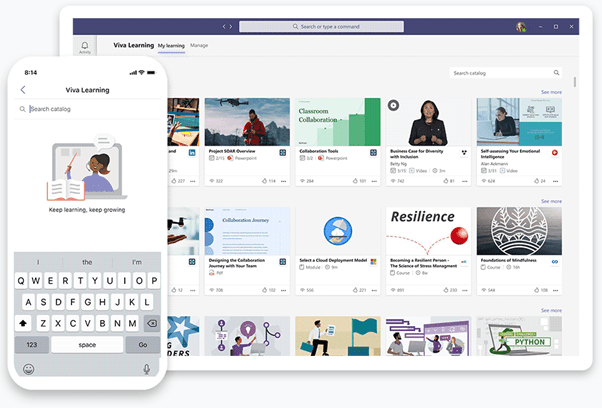
- Growth mindset – Viva Learning helps to bring the power of continuous professional development into the workplace. You company is only as strong as those you employee, being able to provide formal and information training directly to any device is a massive benefit for your organisation; allowing your employees to personalise where and how training takes place empowers and encourages those to achieve more.
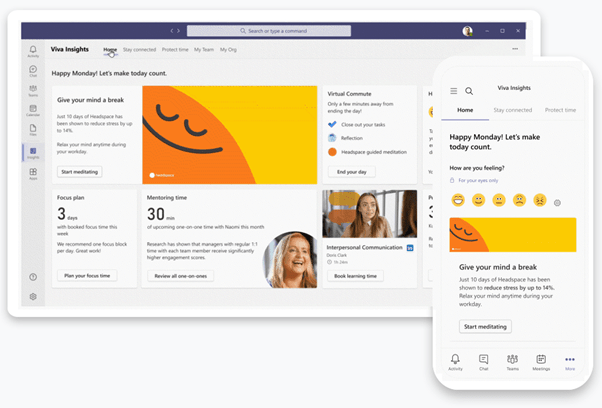
- Let’s get personal – Viva insights deep dives into the relationships you have with others inside your organisation. It also allows you to provide granular access to the time you have spent on different aspects of your work. Personalise the reports you receive to identify the information that is important to you on how you perform your role. Identify trends and patterns within your organisation to compare the average usage and working patterns of others. Look after the wellbeing of every individual.
These are just a few of the highlights from the Microsoft Ignite event, if you want to discover more please visit:
Microsoft Ignite 2021 – Microsoft Ignite 2021.
Of course no Microsoft Ignite would be complete without the chance to earn your free certification from Microsoft. Complete the Cloud skills challenge before the 30th March 2021 to earn a voucher for certification to use on Microsoft learn:
Microsoft Ignite | Cloud Skills Challenge
Feel free to get in touch to discuss the any aspects of this article or the use of Microsoft 365 for education.

 Mr Bainbridge