As a Teacher or Educational Practitioner you should be focused on how, where and when your students engage with yourself and others. It is important to make sure that all communication and collaboration is meaningful and takes place in the correct place. Control the setting for your groups and the level of interaction in Manage Team option, from here you can set the permissions for Members (your students) of the group.
Teams Groups settings
Gain access by CLICKING on the MORE ACTIONS (three dots) menu.
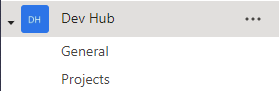
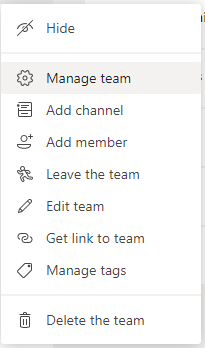
From here you can select MANAGE TEAM from the drop down menu.
From the series of TABS that appear, select the SETTINGS TAB.
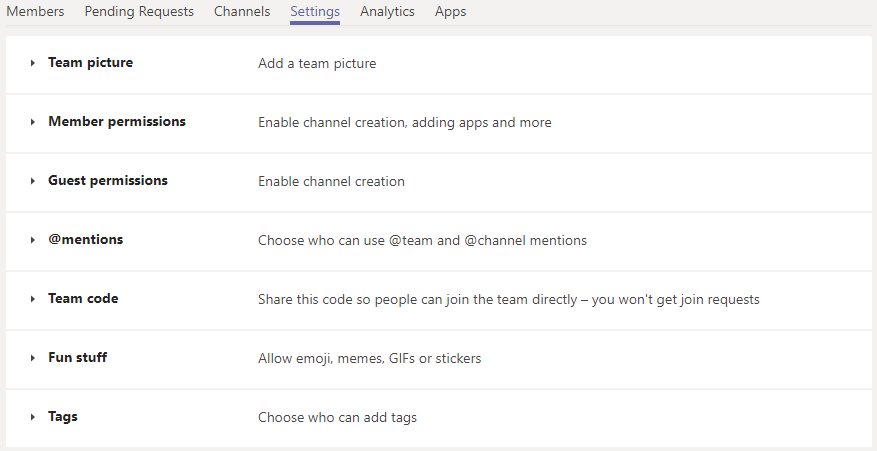
From here you can ENABLE or DISABLE the abilities of your MEMBERS. This can help provide a greater sense of control in your Student Groups.
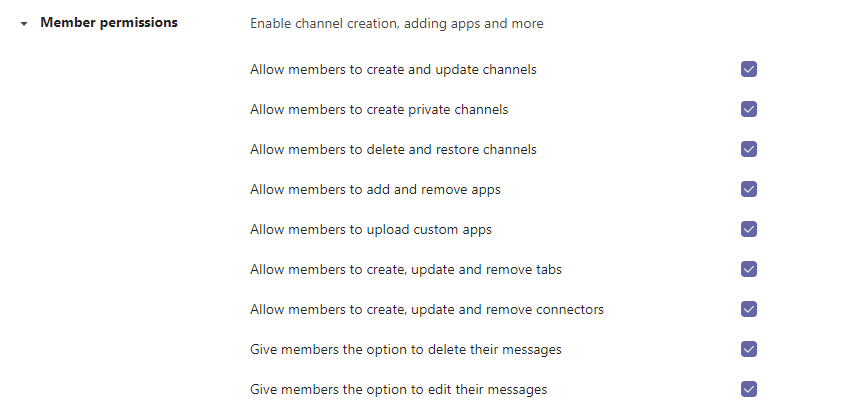
Having access to this level of control will help guide more meaningful interaction and help to safeguard students within your school/ educational establishment.
 Mr Bainbridge